Overview
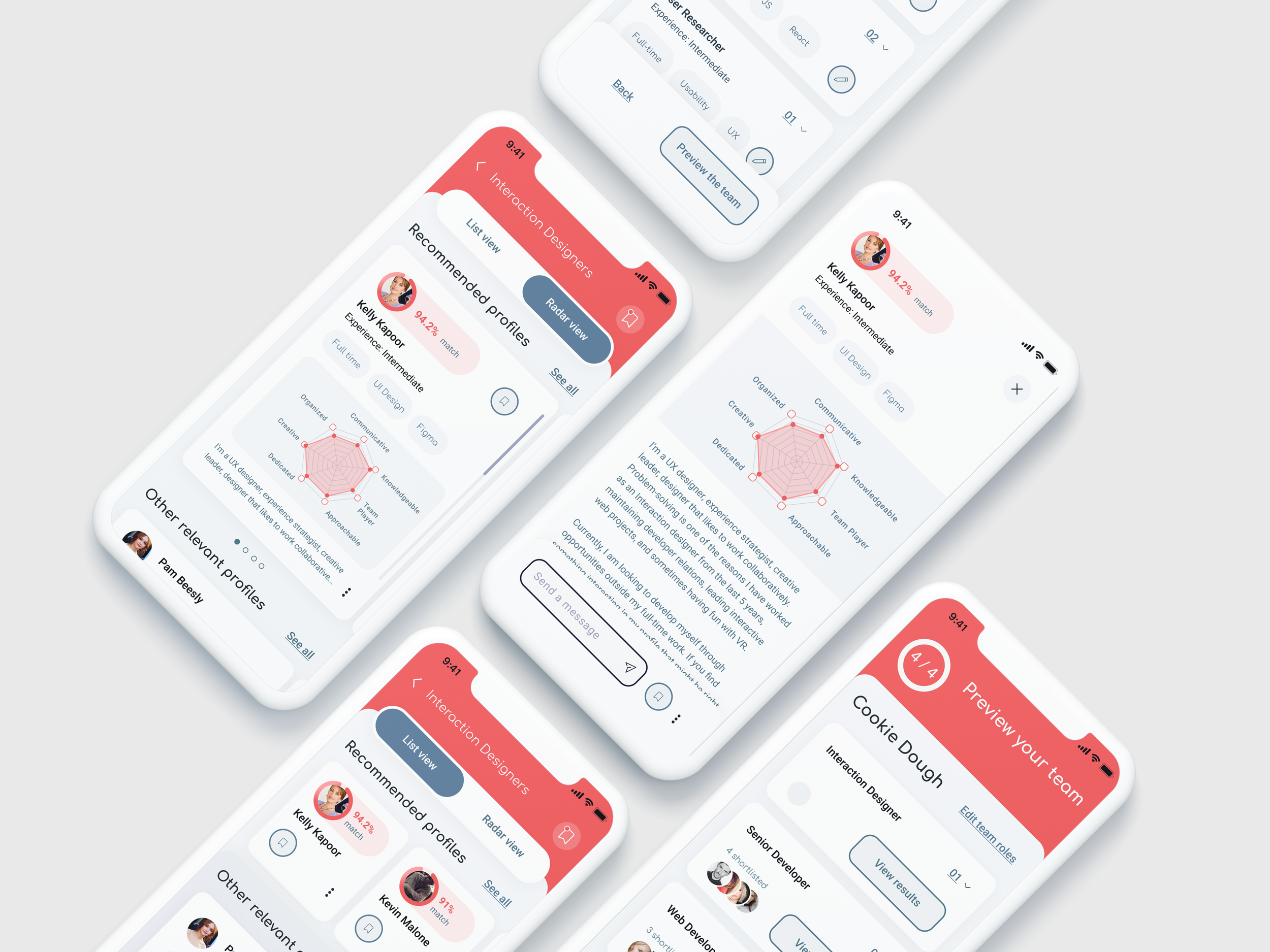
Hello xLab presented us with a design challenge for our semester long capstone project. The application, Huddle, is a centralized platform that brings together people and businesses to engage on projects globally.
Our goal is to create an efficient and effective way to broadcast projects and recruit for project success by using AI technology to aid in the process.
Role
Facilitator, User Research (interviews),
Process Documentation, Interaction,
Visual Design, Prototyping & Testing
Duration: 13 weeks
Team:
Asiya Atcha
Drashya Gohil
Vicky Liang
Zhouquan Peng
Tools:
Figma
Mural
Microsoft Teams
Zoom
Whimsical
How might we…
How might we help project managers and entrepreneurs match with people and businesses to globally engage on projects efficiently and accurately?
Problem at hand.
Project managers, talent acquisition leaders and entrepreneurs often struggle to find promising talents and support to execute a project. They often lack the technical knowledge needed to assess their candidates, and it is difficult to know whether they are the right fit for the project.
Depleting trust in social media platforms and limits on connections one can view can make finding the rights talents a very time consuming process.
Solution.
The app uses AI technology to help users import personal and professional details from public platforms, write project briefs, and find matches for candidates that fit the project requirements.
The AI learns to write project briefs through patterns found in similar projects, and it is trained to assess candidates' hard and soft skills by screening their online behaviour and resume.
The process.
Our process for Huddle was based on the Double Diamond Theory and Lean UX process. We aim to incorporate the key phases of Discovery, Definition, Ideation and Implementation in all of our projects.
Building Empathy
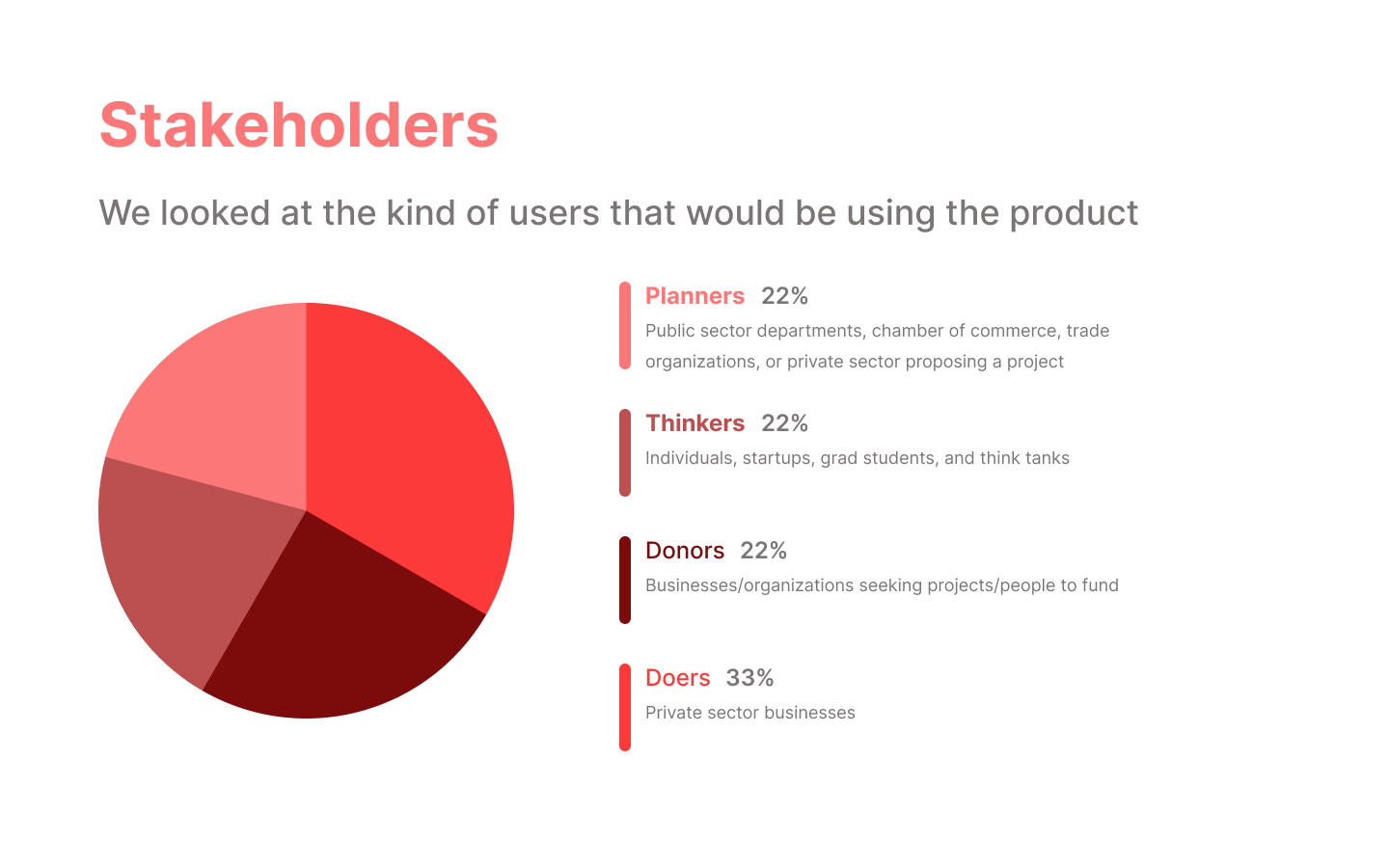
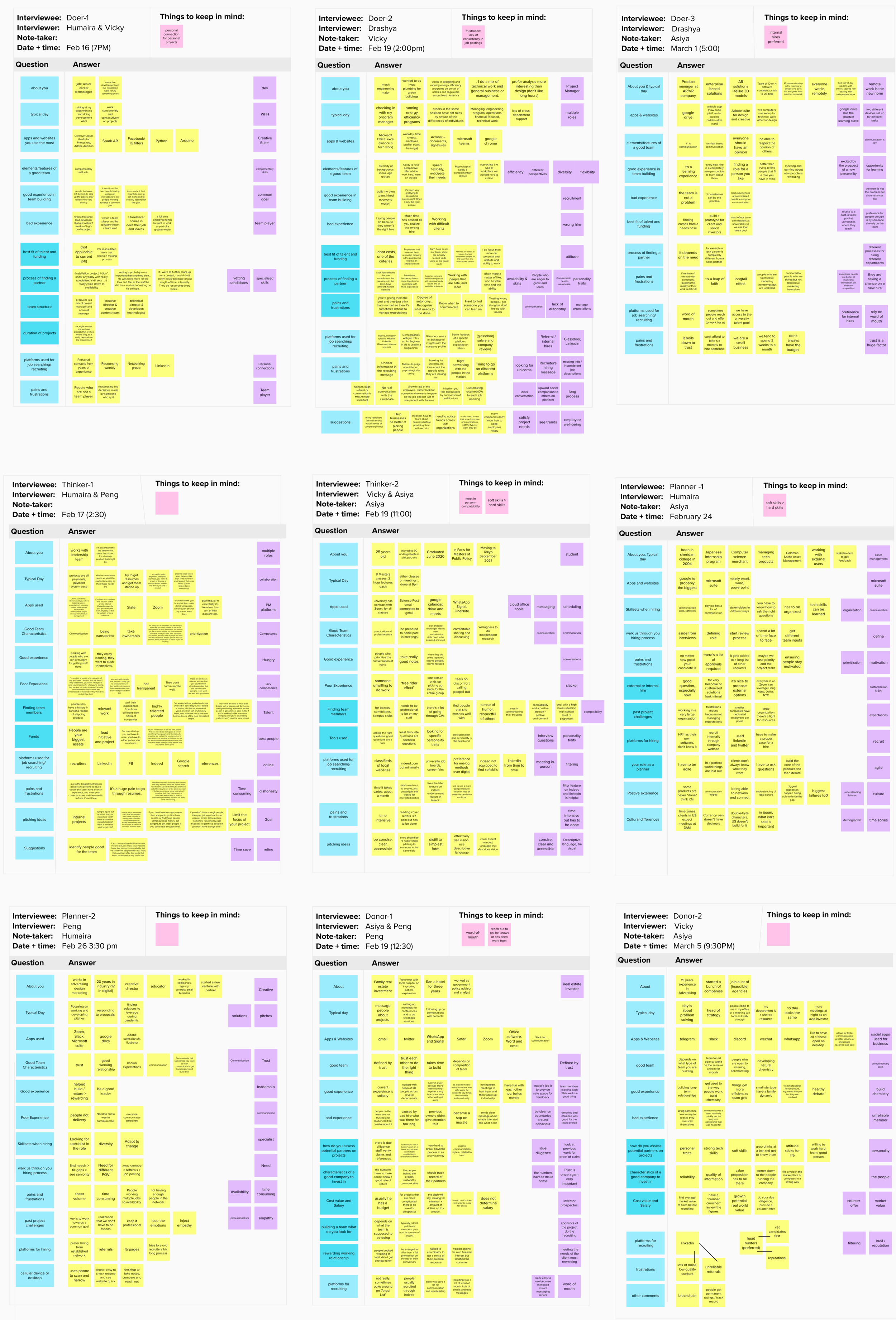
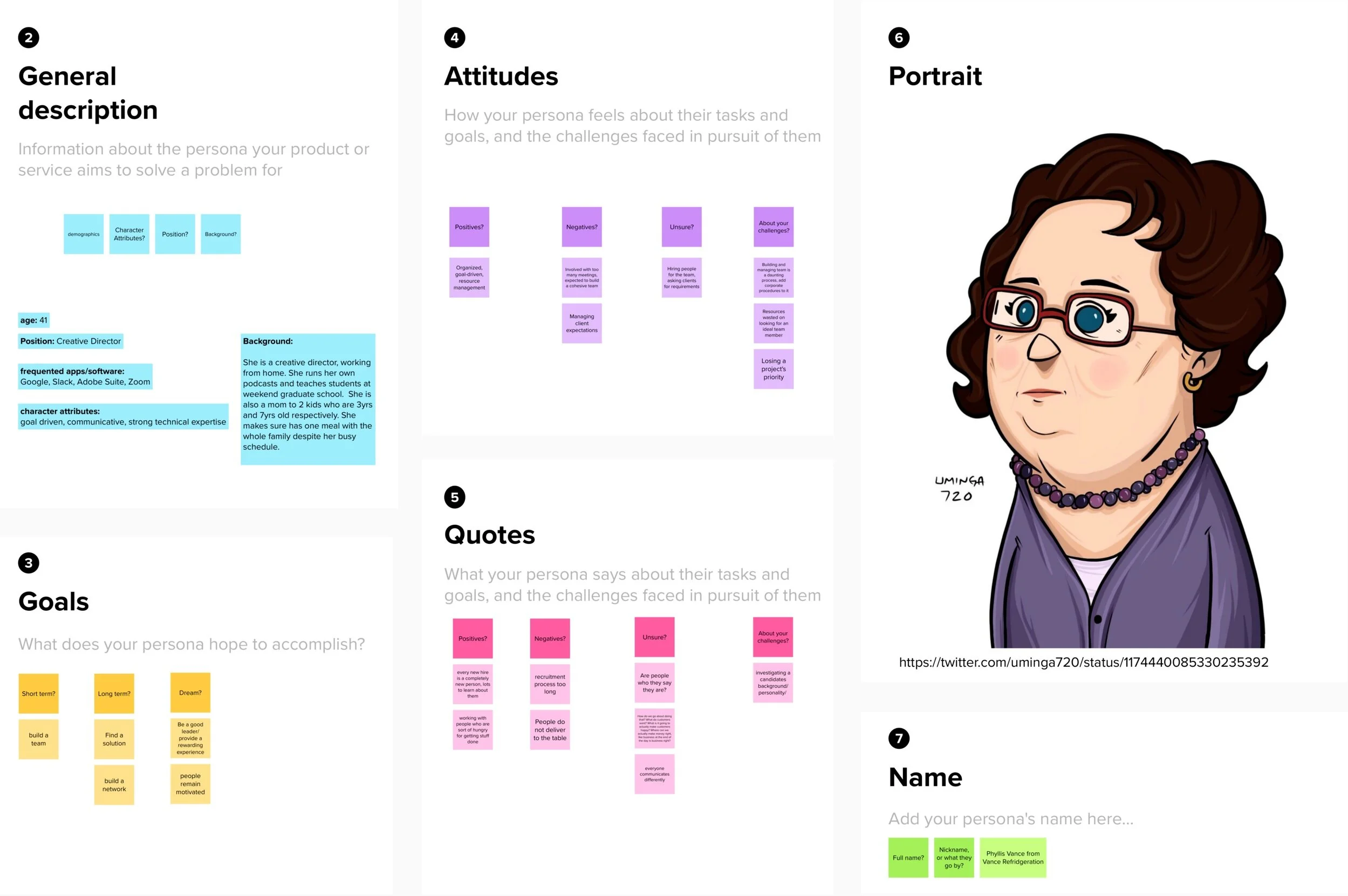
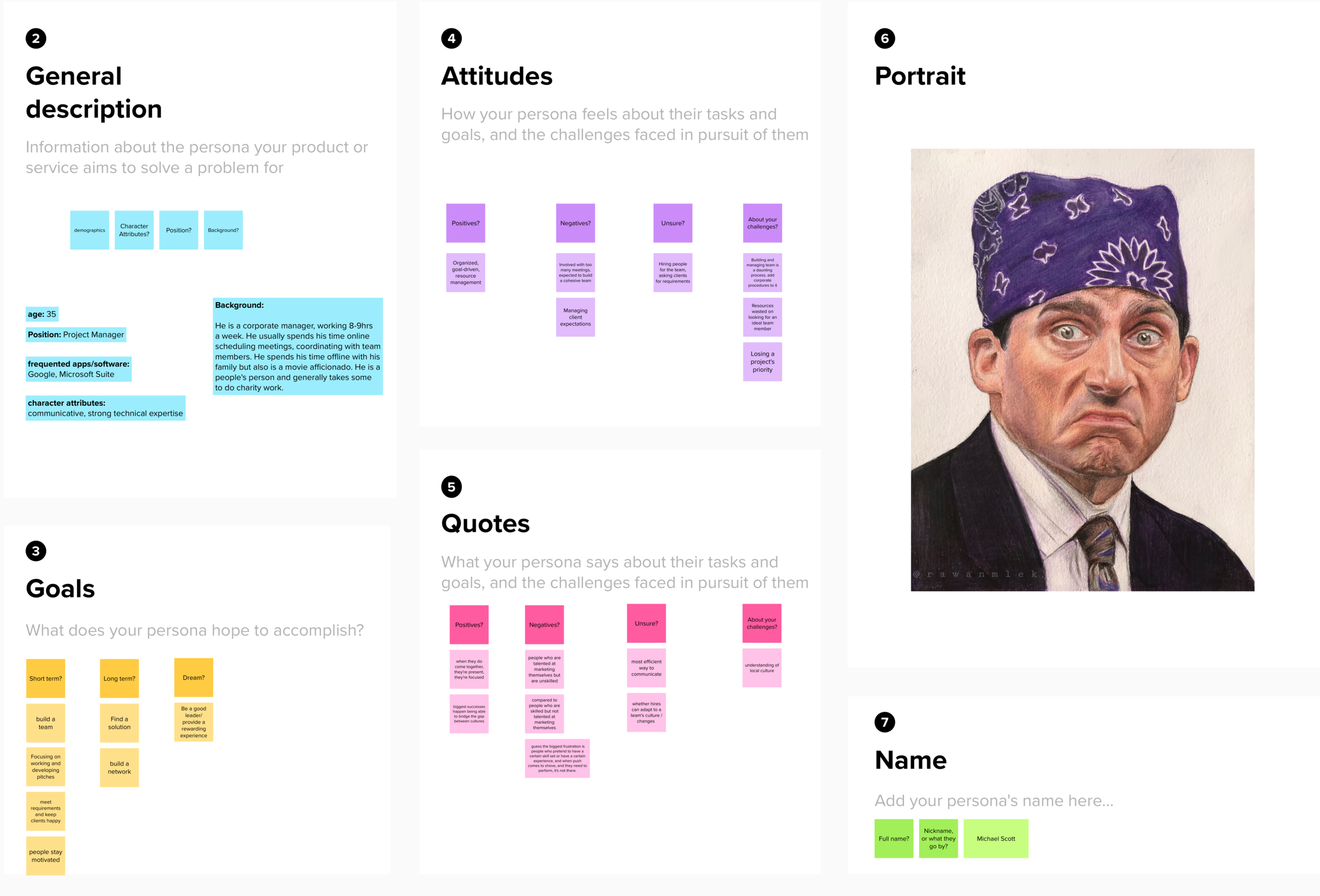
To start off, we conducted in-depth interviews with our stakeholders (Thinkers, Planners, Doers and Donors). The participants were recruited by our industry partners. The data collected from these interviews was used to help identify pain points users are having. With this knowledge, we created a user story and personas.
Due to the timeline of this project and its required deliverables, as a team we decided to focus our point of view to a planner.
Ideation.
Importance/Difficulty Matrix
This was used to identify the core issues and our suggested solutions bases of user interviews. As a group we wanted to prioritize the items/features in the top-right quadrant.
Crazy 8’s
Each member of the team sketched out potential product designs. From this we all wanted to incorporate AI technology as a tool to simplify match and hiring process.
User Flow
Established a user flow for discoverability
of candidates in a hiring process. This is in the perspective of the recruiter.
Final Sketch
From each members ideas and our user flow, we used parts to create a wireframe of the second iteration of sketches.
Mid-fidelity Wireframes
Please click to view mid-fidelity prototype
Usability Testing.
To get a better understanding of our product, we conducted two tests on usertesting.com. We tested the mid-fidelity prototype to helped us evaluate if the user understands the process. Then after some iterations and pop of visual elements, we tested the high-fidelity prototype to receive additional feedback on the visual design. Each test consisted of 3 testers. During class, we also had the opportunity to receive feedback from our peers as well.
We created a test script and asked questions throughout the test. Overall, users found it very clear and easy to navigate through. They preferred the radar view of looking at candidates for the visualization.
Using the feedback given by our user tests and client, we went through a few iterations to the design, hierarchy and overall adding more interactions to increase the responsiveness in the prototype.
MoSCoW prioritization method.
Must Have
Animations for each interaction
Option to view saved profiles
Make bookmark button states
Allows planner to view and compare and individual profiles
Menu of options on each profile card
A metric/score for abilities(skills)
Space for shortlisting potential profiles
menu of options on each profile card
Shows all candidates that match the profile
Filters out candidates that don't match the profile
Progress indicator
Should Have
Transparent hiring process and estimated time for reverting
Control who can see your profile and certain parts
The system presents a final, curated list of potential applicants
Chat
Could Have
Video intro on profile (if the user wants to have)
Group meetings
Calendar / scheduling feature for time-intensive projects
Timeline for application
Won’t Have
Hold job fair events virtually
Favourite roles/ companies and be notified on posting
Status Indicator: looking for work/open (even if working)/Occupied
Favourites: places you want to apply
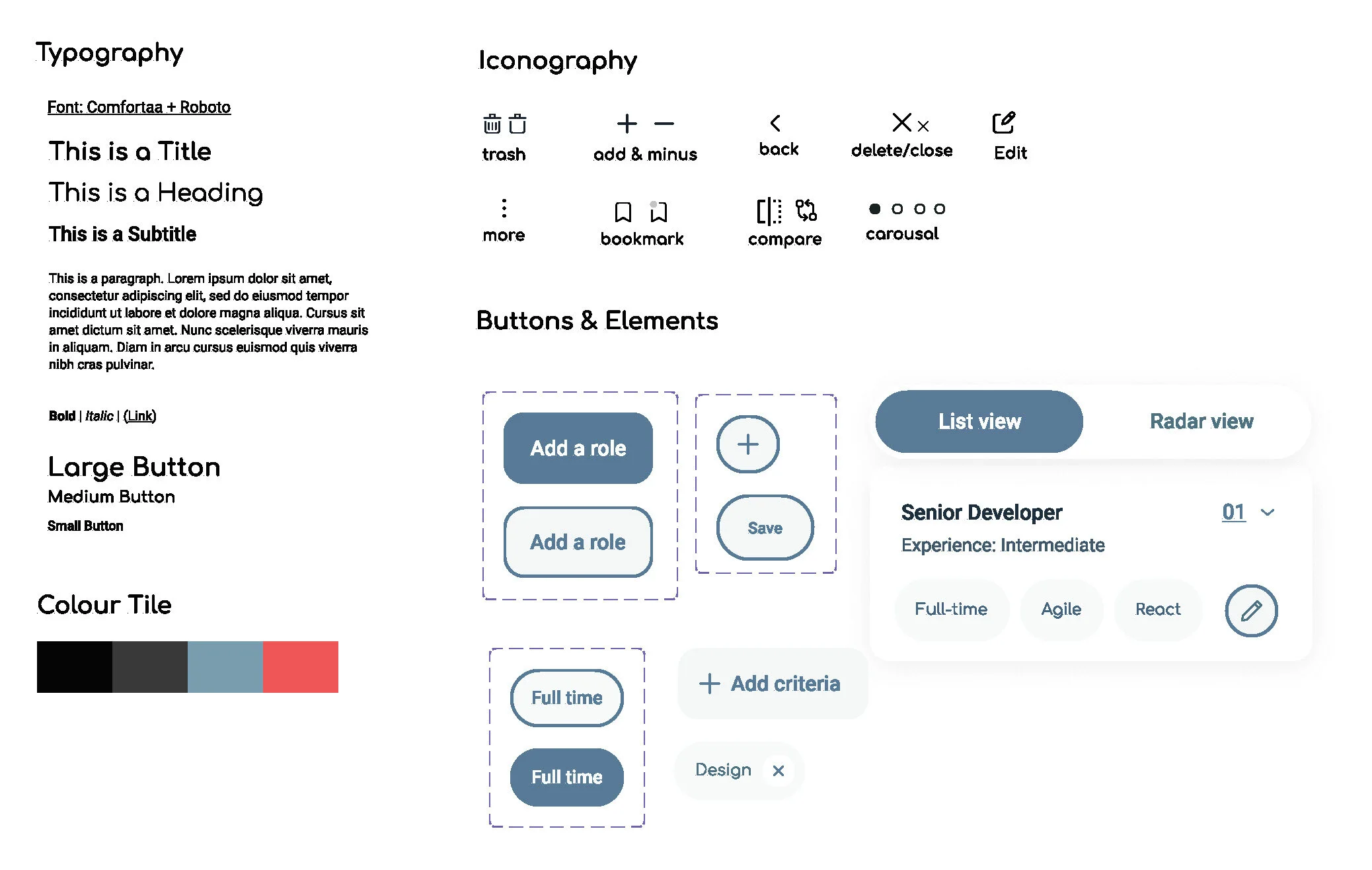
Style Tile
High-Fidelity Prototype
Case Scenario
You are a project manager looking to build a team using a new team-building and project management app. You have already set up an account and created a project brief for the project, "Cookie Dough." Now, you need to recruit a team of designers, developers, researchers, etc. The AI has already added some roles as a suggestion. Your task is to add one more role for an Interaction Designer.
Add role of an Interaction Designer.
Add Criteria to the newly-added role. This is a contract position for someone at an intermediate level. We are looking for strong skills in testing user 'Usability.'
Once description is added, go Next to see the roles you've added.
View results for interaction designers.
Check out the two different ways to view in candidates; list view and radar view.
Voice over by Vicky Liang
Next Steps.
Continue to reiterate and execute solutions for other key issues identified during discoverability/definition phase
Complete a full end-to-end user experience
Make the app discoverable if implemented by our industry partner