MyDoc.
UX/UI Case Study
Overview
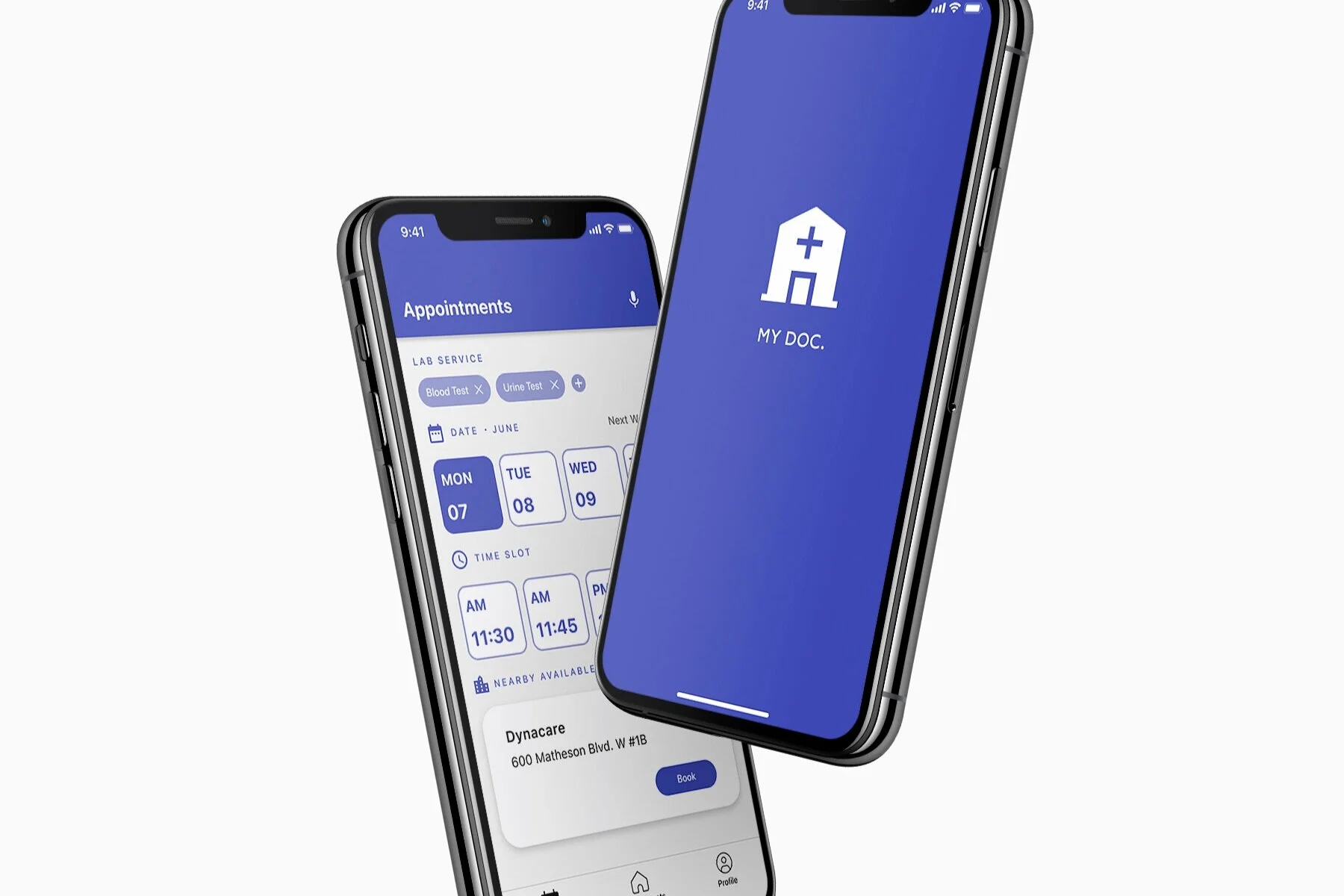
MyDoc is an application that centralizes all lab clinics in one for users to book their next visit. Doctors directly submit the requisition online and a suggested booking is made for users to book.
Our goal is to create a more straightforward and intuitive way to book lab appointments using AI technology to aid in the process.
Role
Facilitator, User Research,
Process documentation, Interaction,
Visual design, Prototyping & Testing
Duration: 1 week sprint
Team:
Deniz Kilicci
Junhwa Oh
Tools:
Figma
Microsoft Teams
Zoom
Whimsical
Problem at hand.
Identify a people problem or challenge associated with the idea of Scheduling. This can be as broad as scheduling a haircut to a medical procedure or even a driving test. How might we reimagine better ways to improve the user experience?
How might we…
How might we book a blood test or other health service without requiring a lot of actions from the patient.
Solution.
The app uses AI technology to help automatically fill and suggest appointment booking based off the requisition submitted by the doctor and individuals availability/location. Unlike other applications from different lab clinics, this simplifies the procedure. Additionally, voice assistant is an option for individual who prefer talking to book an appointment.
The process.
Performed a week long sprint consisting of ideation, research, crazy 8’s,
low-fidelity and high fidelity. Conducted user tests to reiterate design
before final submission.
Ideation.
Affinity Mapping
From the problem given by the prof, we each brainstormed HMW’s and narrowed it down through affinity mapping and voting to decide which route we want to go. The chosen focus of interest was on scheduling appointments for doctor’s requisitions.
Comparable Problem Research
Each member looked into different application in the market to see what is relevant and what can be changed/added by us to make the experience better. Some key takeaways:
showing nearby locations
clear indication of timing
confirmation screen
easy submission of requisition
reduced number of steps to book
Crazy 8’s
Each member of the team sketched out potential product designs. From this we all wanted to incorporate AI technology as a tool to simplify the process.
User Flow
Mid-fidelity Wireframes
From each members ideas and our user flow, I used parts to create a wireframe. This shows the AI using personal information to suggest a time that fits your need, if not, a simplified flow to book within seconds.
Usability Testing.
To get a better understanding of our product, we conducted a test on usertesting.com. We tested our high-fidelity prototype to see if users find it easy to understand and determine which areas we can improve on. 6 users tested our product and gave us positive and constructive feedback.
We created a test script and asked questions throughout the test. Overall, users found it very clear and easy to navigate through. Using the feedback given by our user tests, we went through a round of iterations to improve the visual design (such as the VA icon) and other minor bugs.
Questions we asked
How did you find the process of booking and altering your appointment?
Is there anything that you would change or add to the process?
What process do you prefer, booking yourself or with the help of a VA or both? Why?
Feedback received
easy and simple to follow
intuitive
the process is very direct, did not need to have tasks to guide
most preferred manual rebooking vs. VA
little to no areas of confusion
VA icon is hard to indicate
prefer to use 12-hr clock vs. military timing
High-Fidelity Prototype
Case Scenario
You recently met your family doctor, Dr. Max. He wants to follow up with you after you do some medical testings. Later in the day, he submitted the requisition on ‘My Doc.’ The system was able to use AI technology to suggest an appointment based off your preferred timings of availability and location. However, you are unable to make it for the suggested day. Your task is to change the booking.
Click the notification from My Doc. to enter the application and start booking your appointment.
You cannot make the appointment that was automatically suggested by My Doc. for Tuesday. Change the booking.
The lab service is already filled based off your requisition supplied by Dr. Max.
Make a booking for Monday, June 7 at 12:30pm.After you’ve selected your time and date, choose your nearby available clinic.
Book and confirm your new appointment.
Now please press “R” and restart the prototype from the start. Enter the application through the notification on the lock screen once again.
Please find the voice assistant (VA) icon on the top right of the screen. This is another way you can book/change your appointments. Click it to see how it works. You will see a conversation between you and the VA. The VA will aid in booking your appointment until it is booked.
* For optimal viewing, please click Full screen mode > Options > Scale down to fit